
Hi @natsshop,
Fluid Checkout Lite is not supposed to change anything on the order received (thank you) page, as that is a PRO only feature — see the PRO features on our website.
As I understand, you are having issues with the layout of the thank you page on your website being changed when using Fluid Checkout Lite.
1. Do these layout issues only happen when Fluid Checkout is activated? Try temporarily deactivating Fluid Checkout and see if the issue is then gone.
2. Could you share a screenshot of your thank you page for when Fluid Checkout is activated, and another one of Fluid Checkout deactivated?
3. Are you using the block-based or shortcode-based checkout forms? See more about this on our documentation.
Best,
Diego.
Hi Diego
thank you very much for the quick answer. I use Astra pro and created the thank you page using the site builder. For checkout I use the block-based checkout form. If I have fluid checkout enabled, the page looks like this.
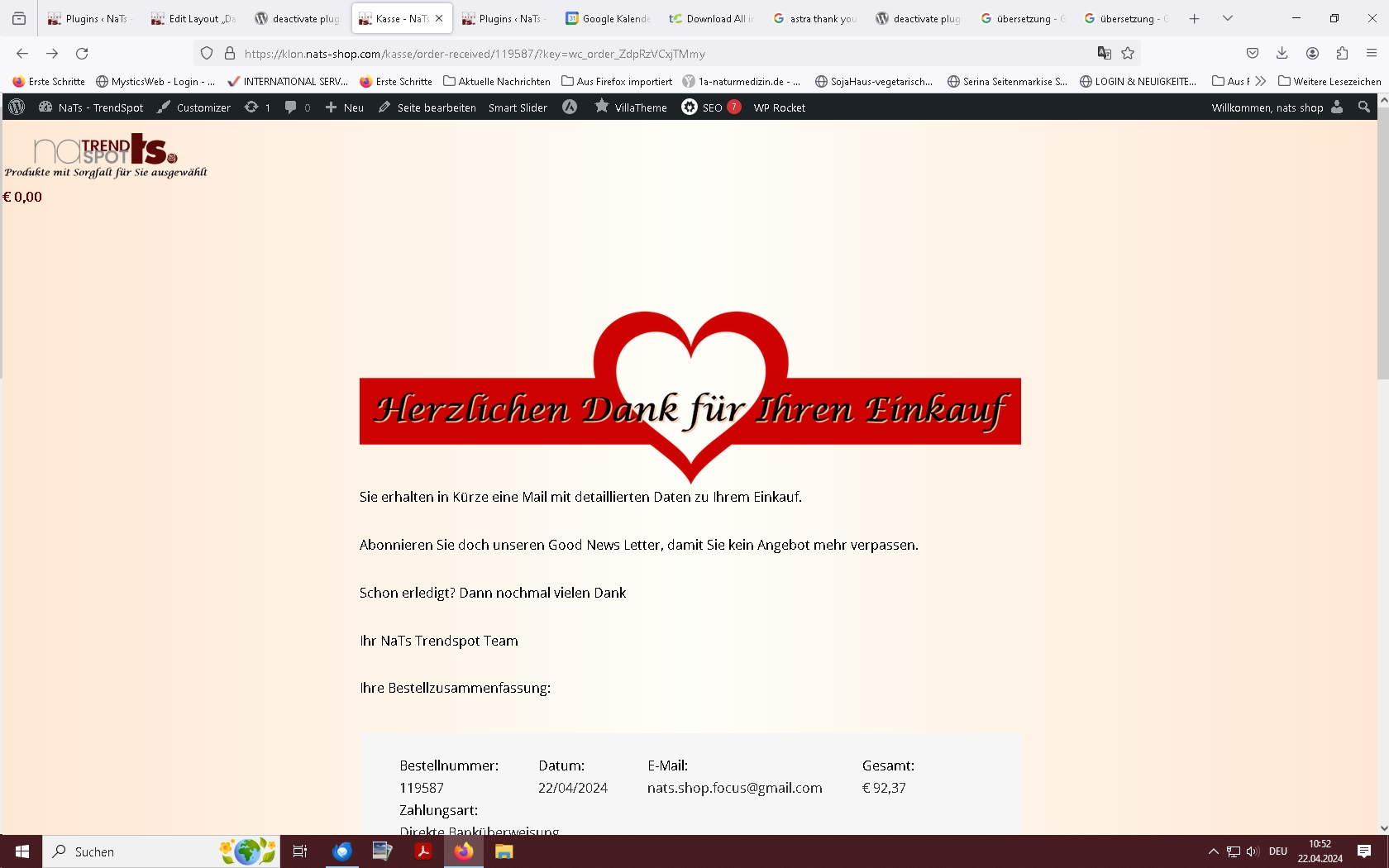
Without fluid checkout, the thank you page is again from the Astra theme.
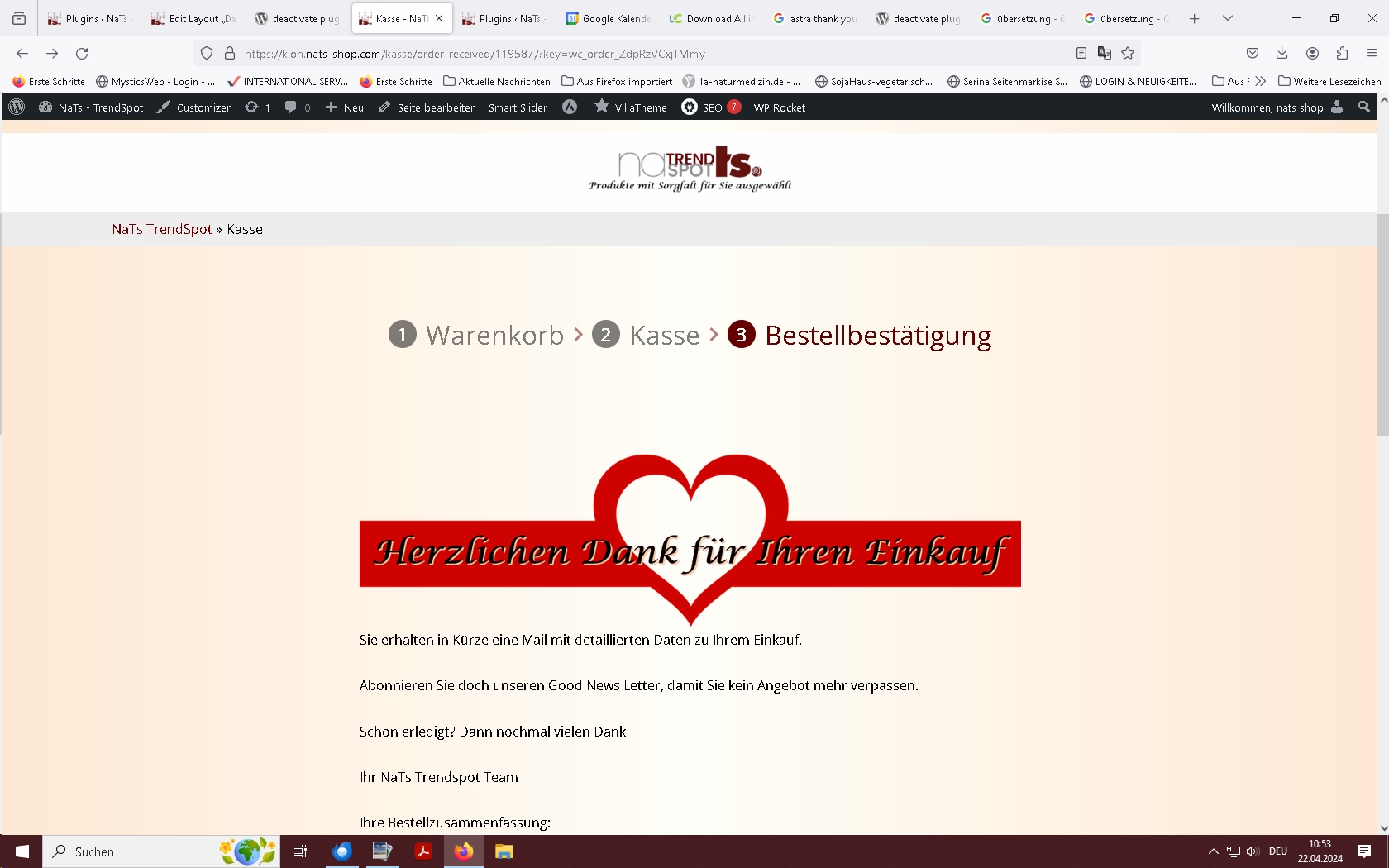
The top left area doesn’t look good.
Regards Gisela
Hi Diego,
thanks for the tip: I have now switched to classic checkout and now the thank you page is no longer changed.
Regards Gisela