
Hi @gadgilaniket ,
Hope you are doing well. I am here to assist you with solving this issue. I got a clarity on the glitch by looking to the image you shared. It makes helping you easier for me. I too faced same thing in the past. Let’s try a simple fix.
Most of the time this issue is happening due to over with numbers of columns. The columns are adjusting it’s width themself to accommodate the other columns. Title, Author, Categories, Tags, Comments, Date are the default columns injected by WordPress. All other columns are injected by other plugins. In your case, AISEO injected some of the columns.
You can see ‘Screen Options’ dropdown on the top of your page. Just click on it. You can uncheck all unwanted Columns from there. Remember, you can uncheck default columns like tags, categories too in case you feel it unwanted. Limit number of columns to 5 or 6 for better experience. Have a look to the screenshot of ‘Screen Options’ which is added below to make the process easier for you.
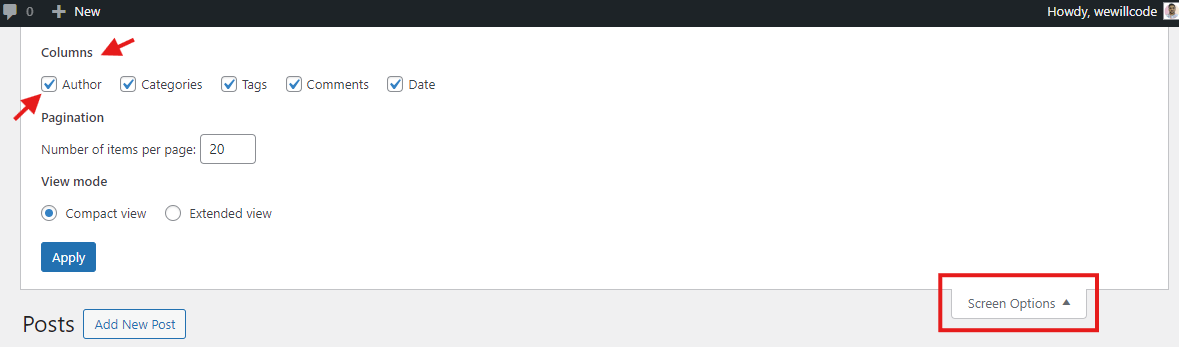
Ref: https://projectdmc.org/documentation/article/posts-screen/
Don’t hesitate to ask further question if this didn’t helps.
Kind Regards,
Jazeel
Oh, It was really simple.. It worked…. Thanks for your help….
Thank you, Jazeel.
Regards, Aniket