
Here are the issues I am facing I added additional values to the schema
But they do not show when testing the page I enabled rankmath support but nothing shows after clearing cache when using the testing tool local business shows twice, looking at the raw html LocalBusines shows twice there is something not set up properly its driving me crazy.
This site offers reviews on specific local businesses.
I need the following information on the schema
Detailed address, url, Company Name, GEO location, and Aggregate Rating description is not needed in a local business schema.
add_filter('site-reviews/schema/LocalBusiness', function ($schema) {
    $schema['address'] = [
        '@type' => 'PostalAddress',
        'streetAddress' => '123 Main St',
        'addressLocality' => 'City',
        'addressRegion' => 'State',
        'postalCode' => 'Zip',
    ];
    return $schema;
});
I am unclear how the integration with Rankmath works, I enabled the Settings but there is nothing in the drop down as seen on other posts in this forum.
1 – Enable the RankMath Pro integration in the Site Reviews settings.
2 – Enable the schema option in the “Latest Reviews” Elementor widget settings.
When you do this, Site Reviews will automatically add the rating schema of your reviews to the existing RankMath Schema Markup that you have added to your page.
I added additional values to the schema but they do not show when testing the page. I enabled rankmath support but nothing shows after clearing cache when using the testing tool local business shows twice, looking at the raw html LocalBusines shows twice there is something not set up properly its driving me crazy.
It sounds like you haven’t yet configured the RankMath Pro plugin for your website.
When the RankMath Pro schema integration is enabled in the Site Reviews settings, you will not be able to set any schema properties in the Site Reviews settings, or use the Site Reviews schema filter hooks. Instead, you will need to manage your schema markup and settings with the RankMath Pro plugin!
To learn how to get started with RankMath Pro, please read their support article: https://rankmath.com/kb/how-to-setup/
To learn how to configure Schema Markup on your pages with RankMath Pro, please read their support article: https://rankmath.com/kb/rich-snippets/
When I enable Rank Math Integration, the schema disappears, there is no button to enable as seen in other posts
Which button are you referring to?
I saw on another post that after integrating rank math there is a button to enable the schema on the post
I did enable rank math pro
There is no local business schema in Rank math maybe Im confused
FOund the button, let me clarify by integrating rank math pro have to create the schema manually inside the rank math pro interface correct?
Is there anywhere I can see a sample?
Enable the schema option in the “Latest Reviews” Elementor widget settings:

There is no local business schema in Rank math maybe Im confused
RankMath Pro supports a selection of schema types out of the box:
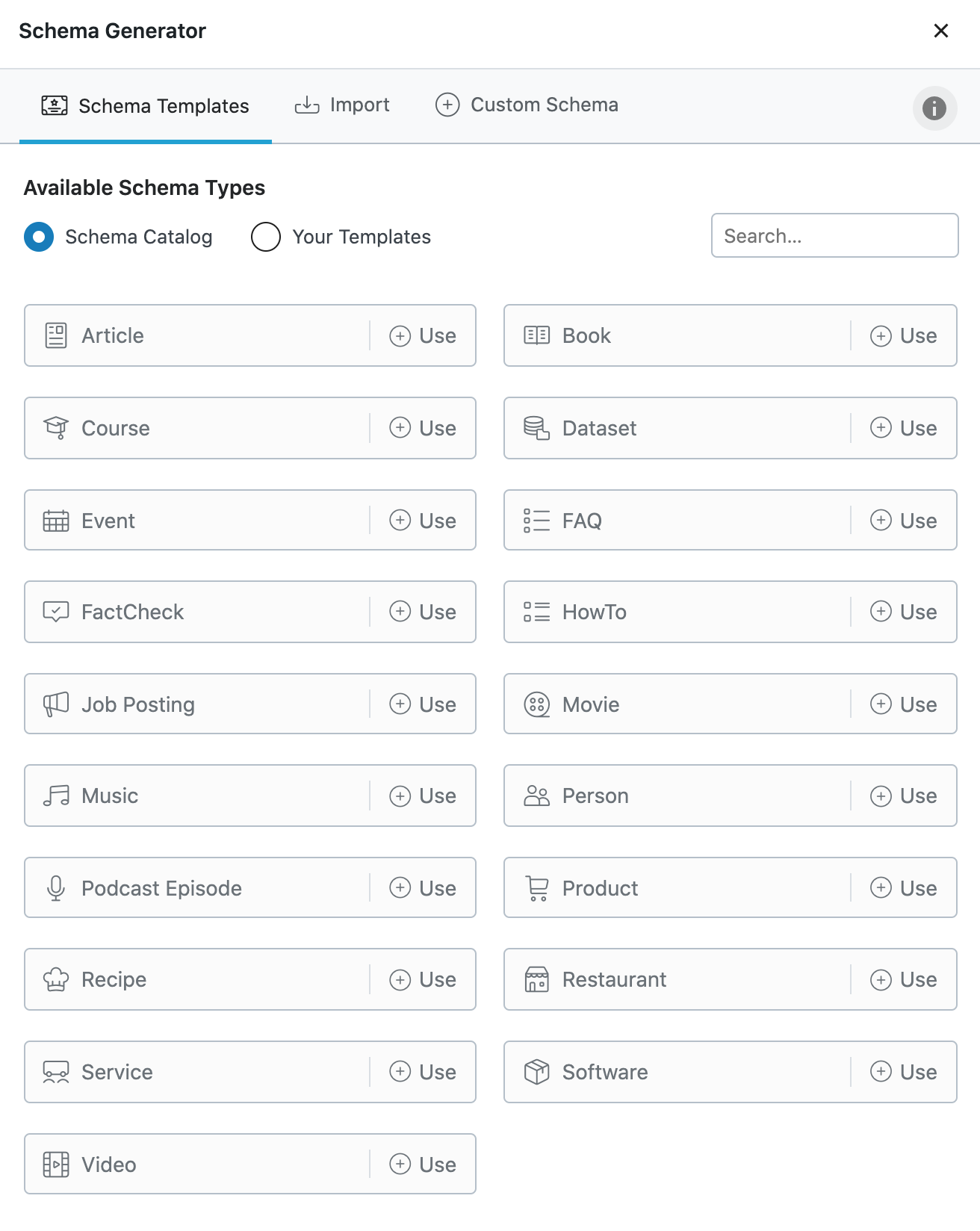
If you want to use a schema type that is not provided by RankMath Pro, then you will need to create it yourself. To learn how to add a custom schema type in RankMath Pro, please read their support article: https://rankmath.com/kb/rich-snippets/#custom-schema
If you are convinced the the LocalBusiness schema type is what you need, this should help you get started:
1 – Open the RankMath Pro Schema generator:

2 – Import Schema Code and paste in the following JSON-LD/Custom Code: https://pastebin.com/raw/T014EtRf

Please contact the RankMath Pro support team if you need further assistance.
Since this site has reviews from consumers about specific companies (debt collectors) would the local business schema be the one to use?