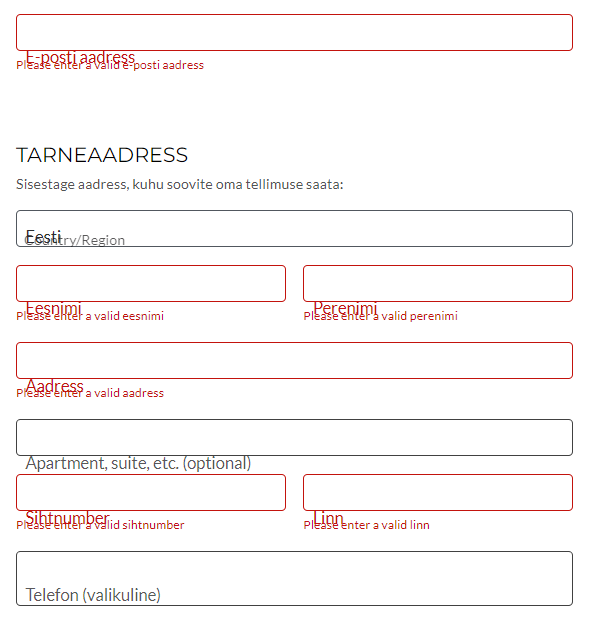
I’ve used Kale for years and I’m very happy with it. However, I’ve run into a problem while setting up a tiny shop using Woocommerce. The position of labels for input fields on the checkout page is off, so that the labels overlay either the explanatory text under the input fields or the actual input. I have checked for other conflicts, but none of the very few plugins installed seem to cause this. Switching to Storefront theme solves the issue, returning to Kale produces the same result:
Grateful for advice regarding possible solutions.
This topic was modified 3 hours, 31 minutes ago by Yrmegard.
The page I need help with: [log in to see the link]