
Hi @boppar,
On my homepage I display some of my products. The product titles used to be black: https://ibb.co/8rR7zBh Because of unknown reasons they have turned blue (link color): https://ibb.co/B6nq0Fr I want the product titles to continue to be black. What CSS should I use to solve this?
From what I understand, you’re currently dealing with a color issue on your product titles. They’ve unexpectedly switched from black to blue, and you’d like to revert them back to black.
Looking at the screenshots you’ve shared, it’s clear that you’re keen on changing the product titles’ color back to black, specifically in the Hand-picked Products Block. Here’s a quick solution: you can use this CSS code:
.wc-block-grid.wp-block-handpicked-products.wc-block-handpicked-products ul li .wc-block-grid__product-title {
  color: black;
}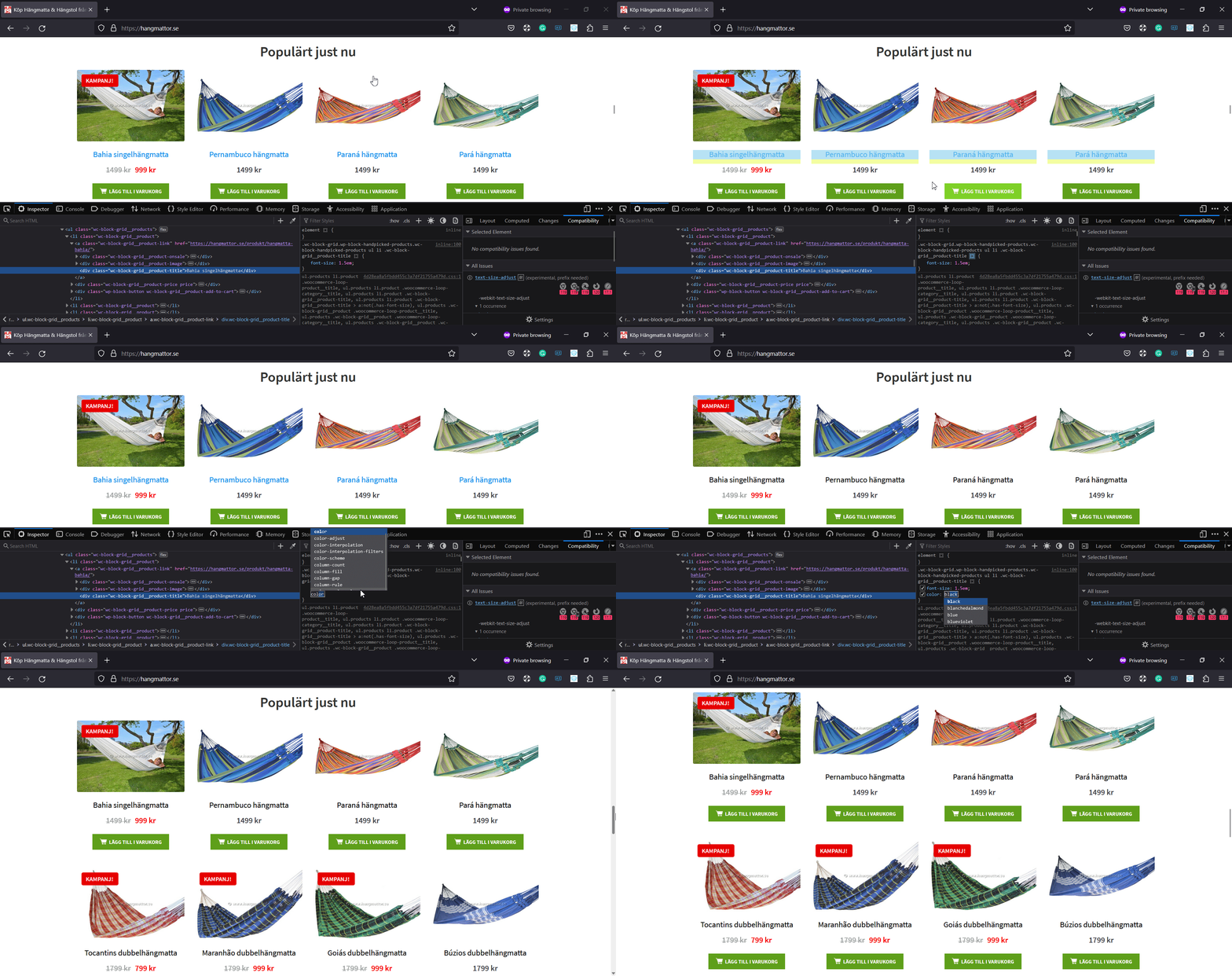
Image Link: https://s5.gifyu.com/images/SiS7R.gif
Here’s how you can add this CSS to your website:
- Open your WordPress dashboard.
- Navigate to Appearance -> Customize -> Additional CSS.
- Copy and paste the CSS provided into the Additional CSS box.
- Hit the “Publish” button to save your changes.
This code will specifically target the product titles in the Hand-picked Products Block and change their color back to black.
Give this a shot and let me know if it solves the issue. If you’re still having trouble, don’t hesitate to reach out. I’m here to help!
