
Hello joannivelz6
Thank you for contacting Woo support.
Could you share a screenshot of the whole row?
I want to check the exact values of these rows.
I checked the database of my test site and I do not see anything like these rows.
Maybe these are added by a plugin or theme.
To help you further, I’d like to review your site’s System Status Report.
You can find it via WooCommerce > Status.
Select Get system report and then Copy for support.
Once you’ve done that, you can paste the text in https://gist.github.com
After that, you can paste the Gist link here in your reply.
Best regards.
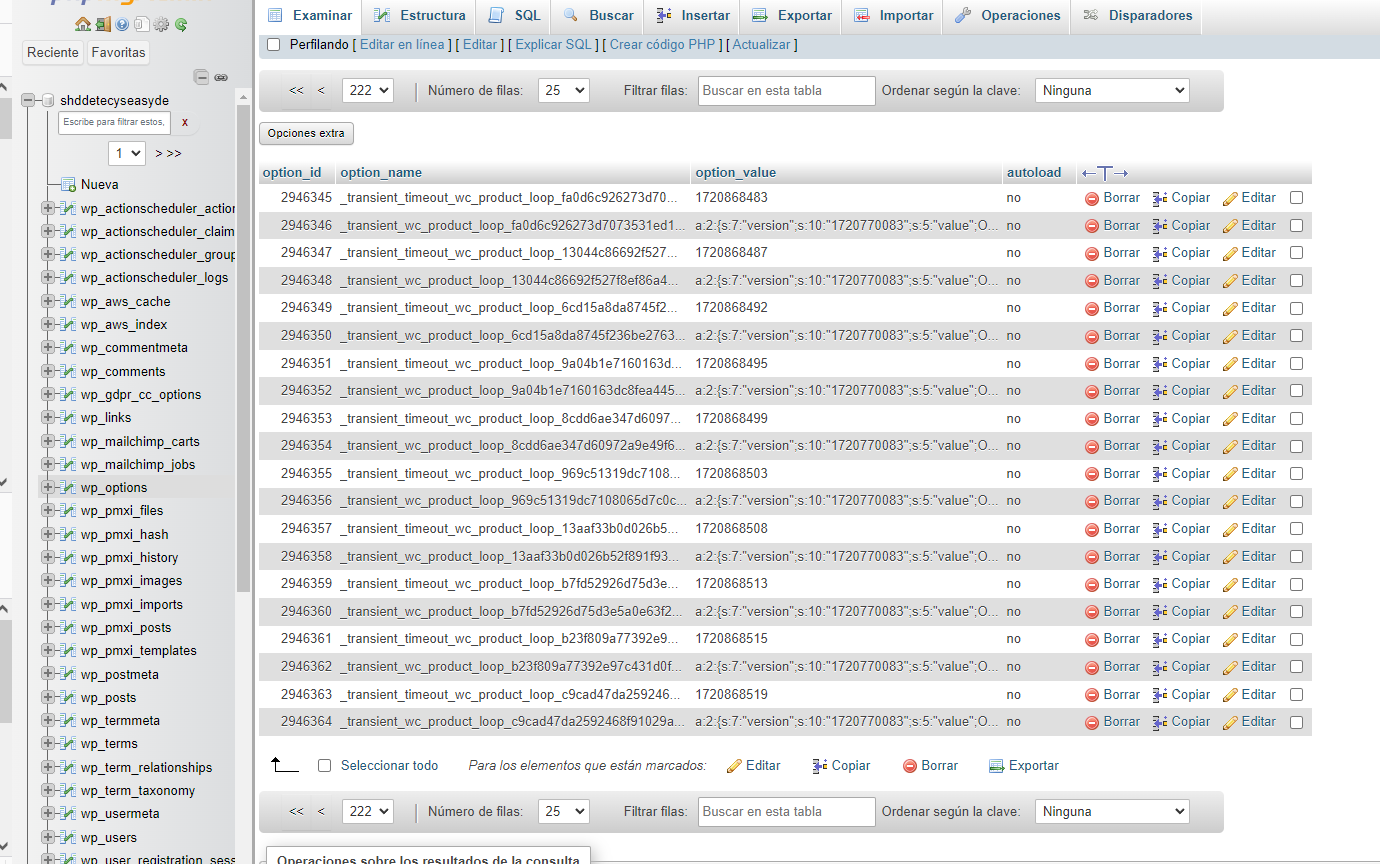
The value of the last one, option _name is = _transient_wc_product_loop_c9cad47da2592468f91029a4d32c7059
And the option_value = a:2:{s:7:”version”;s:10:”1720770083″;s:5:”value”;O:8:”stdClass”:5:{s:3:”ids”;a:6:{i:0;i:1305;i:1;i:1348;i:2;i:1375;i:3;i:1382;i:4;i:1383;i:5;i:2422;}s:5:”total”;i:18;s:11:”total_pages”;i:2;s:8:”per_page”;i:12;s:12:”current_page”;i:2;}}
The link of the gist: https://gist.github.com/Nivelz/2e68d5f80ef50f5095e9851f5662a99b
Thanks!
Hey, @joannivelz6!
Thanks for the information!
Can you please run a conflict test to see if something external is generating this?
To test, you’ll first want to change the theme on your site to Storefront, then check to see if the issue is still present. If that resolves the issue, you’ll want to get in touch with your theme’s developer and see if they have an update or fix for you.
If changing the theme doesn’t help, you’ll want to deactivate all plugins except for WooCommerce and take a look. If that fixes the problem, re-enable the other plugins one by one (gradually), checking after each, to see where the issue is coming from.
— Be sure you have a good backup in place of your full site and database. You can ask your host for backup functionality or you can consider using a service like Jetpack. If something goes wrong, you will be able to restore it.
— Also, you can consider using a plugin like Health Check & Troubleshooting. This is a plugin developed by the WordPress community and it is helpful to disable plugins without affecting your current site visitors.
— It is important to consider as well a staging functionality in case you would not like to touch your production site (you can ask your host if they offer this service), or you can use WP Staging for quickly spinning up a new test site.
You can find more about this in this guide.
Please let us know about your findings.
Have a wonderful day!
Hello,
Yes, its seems its this plugin: “YITH WooCommerce Ajax Product Filter“, its making a lot of bots coming into the page, so its getting the cpu high and making those transient data… will check their forum and contact them.
Thanks
Hi @joannivelz6,
Glad to hear you were able to identify the possible suspect that leads to creating transient rows in your DB. With that said, I’d recommend reaching out to their support team for further assistance.